RSS
 

Archive for the ‘Featured’ Category

Marimokkori Dance!

04 Dec

mari

Marimokkori is a character popularized in HokkaidoJapan. Much like the Tamagochi, the name “Marimokkori” is a pun: marimo is the word for the green algae clusters that grow in some of Hokkaido‘s lakes, while mokkori is a Japanese slang term for an erection.

Marimokkori’s fame comes through merchandising, with a number of various souvenirs being sold in Hokkaid? and throughout Japan.

And here’s a Morimokkori boy band:

httpv://www.youtube.com/watch?v=ejcWydndQuw

If you’re interested, you can also buy a Marimokkori CD (a great idea for Xmas ahah!)


Top 25 Photo Chart

04 May

x1

Now you can check the Top Shots of ReallyJapan.com by page views!

Just go to Archive and select Top Chart.. or just follow this link, that’s it!


Maschinen Krieger

23 Apr

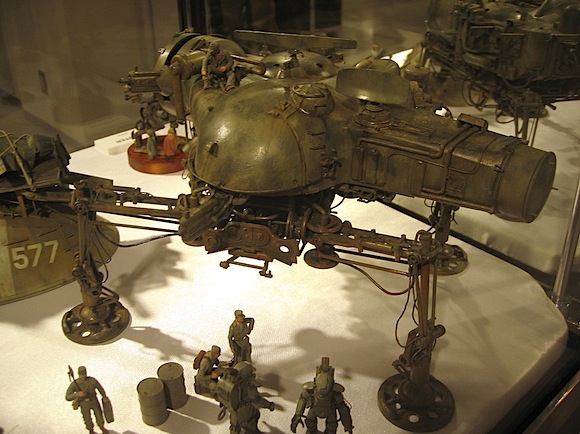
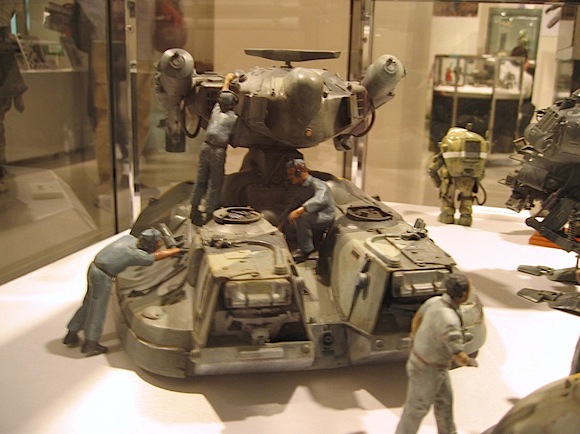
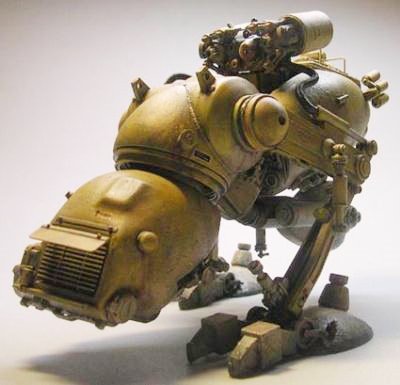
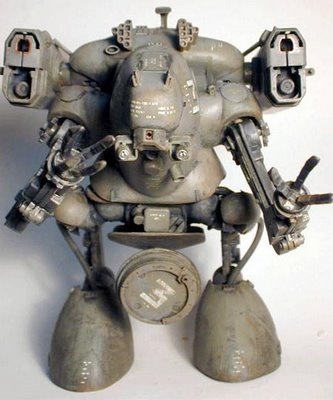
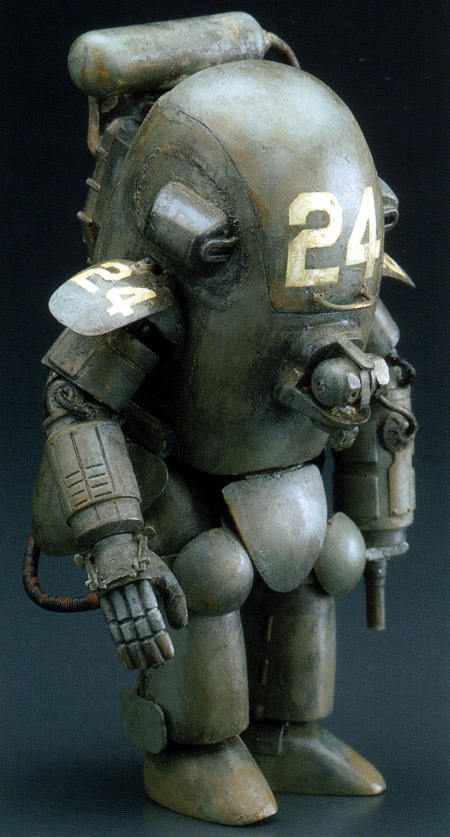
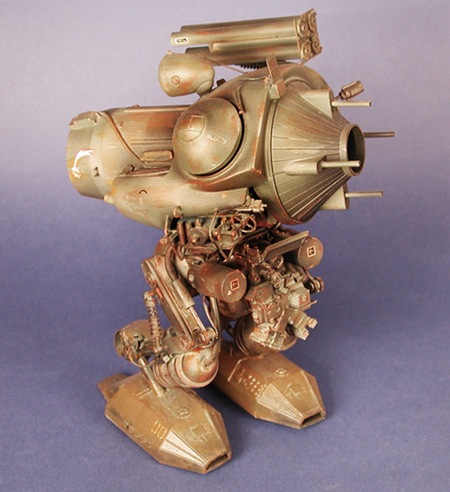
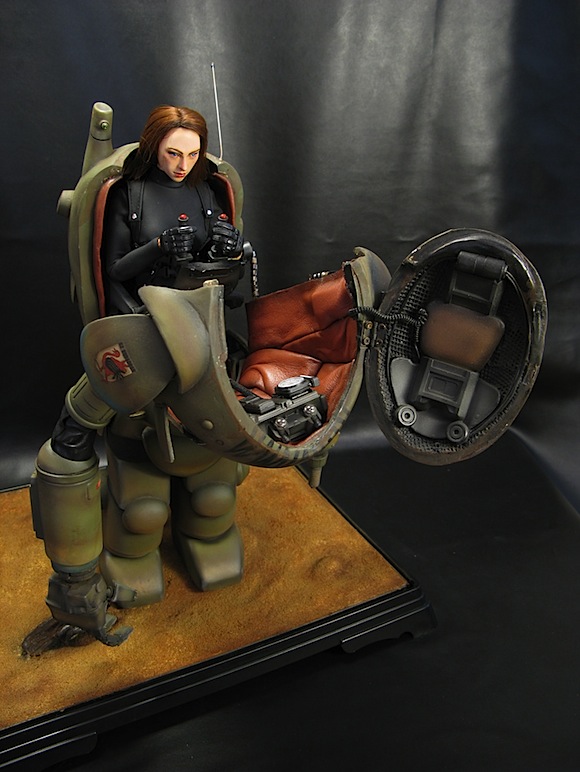
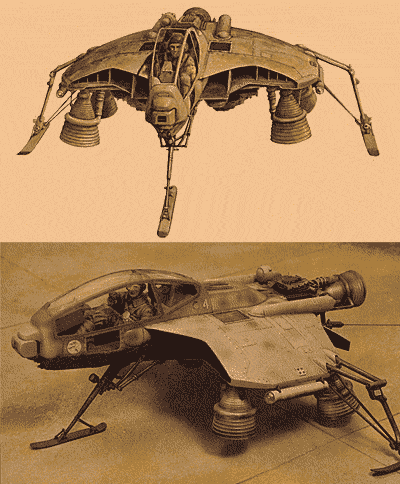
In my spare time, besides going out on the street taking photos, I also enjoy building plastic models of robots.
I don’t like so much Gundam, too much fantasy sci-fi for my taste, instead I prefer more realistic sci-fi models like Votoms or Maschinen Krieger. The design is great, rusty, hard sci-fi look and dirty.. not shiny armours for me, but blood on the steel!

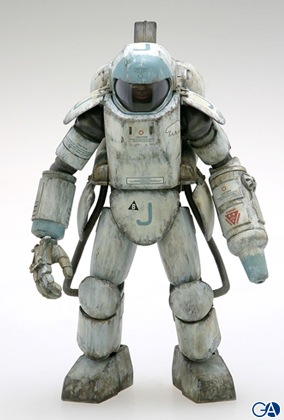
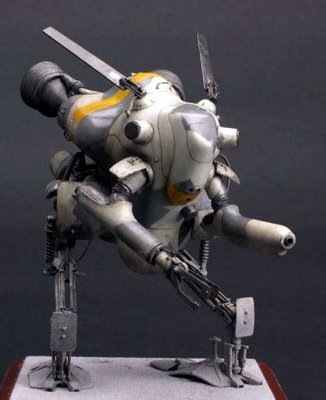
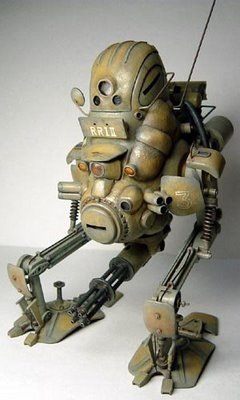
Maschinen Krieger ZbV 3000 is a science fiction universe created by Japanese artist and sculptor Kow Yokoyama in the 1980s. It originally began as the science fiction series SF3D which ran as monthly installments in the Japanese hobby magazine Hobby Japan. To develop the SF3D storyline, Kow collaborated with Hiroshi Ichimura (story editor) and Kunitaka Imai (graphic designer).

The creators drew visual inspiration from their combined interest in WWI and WWII armor and aircraft. Kow built the original models from numerous kits including armor, aircraft, automobiles and real space.

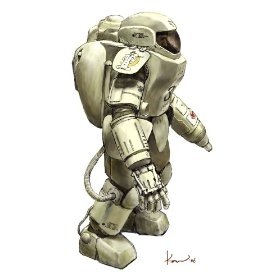
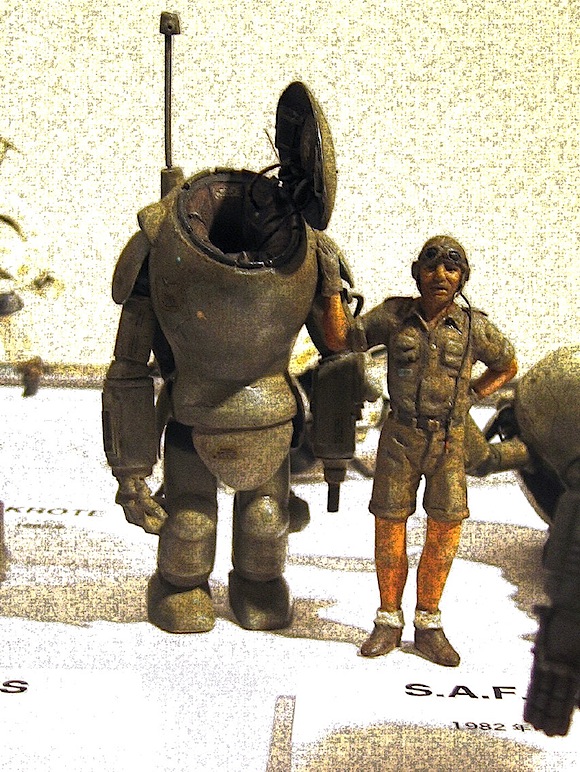
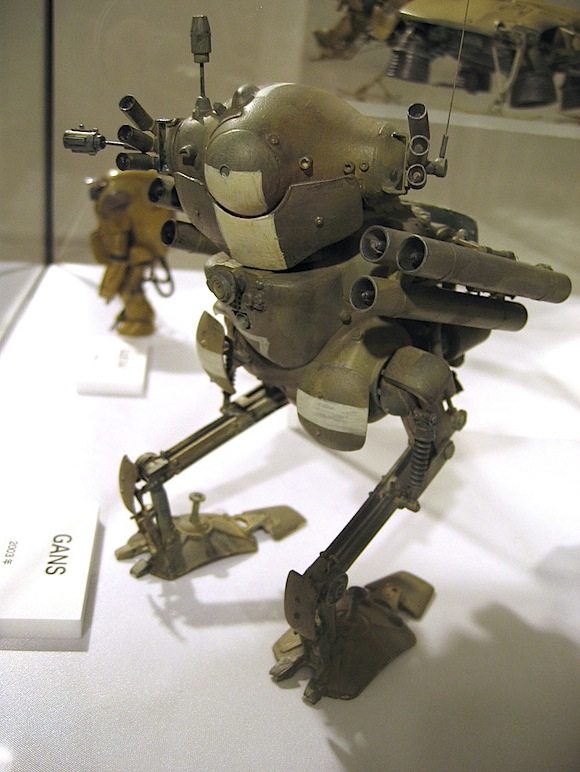
The designs were predominantly of powered armor suits, but Kow also created two legged walking tanks, anti-gravity flying aircraft, and automated robot walkers. Hiroshi Ichimura and Kunitaka Imai added the graphic style and created the background story for the new models.

Together they created a unique series with a very different visual style from the typical “Giant Robot” series in Japan at the time. A small but dedicated fan following soon developed.

The Story

The story is set 880 years in the future. Events primarily take place between the years 2882 and 2886. A nuclear World War in 2807 destroys most of Earth’s population, and renders the planet uninhabitable. About 50 years after the destruction, the Galactic Federation (details unknown) sent an investigative team to determine the condition of the planet. They discover the planet has restored itself to a natural paradise and begin the process of sending colonists to populate Earth. The colonists prospered on the reborn Earth. Cities and towns are eventually reformed, but this growth attracts the attention of criminals, AWOL soldiers, political criminals, mercenaries, terrorists, and other people who had decided to leave civilized society, who began to make their way back to Earth as a suitable place for refuge. The Colonists had no real form of government to deal with the problem other than a few local militias. The GF, concerned about the civil unrest and the Colonists forming their own independent government, gave the Strahl Democratic Republic (SDR) the right to govern the planet. The SDR’s hard handed tactics to restore order; travel restrictions, hard labor camps for the unemployed, etc., created great resentment amongst the Colonists. The Colonists create the Earth Independent Provisional Government and declare independence from the Strahl Republic. The SDR immediately forms a puppet government and attempts to quell the uprising. The wealthy Colonists hire the mercenaries to form the Independent Mercenary Army. They attack the SDR forces and the war for independence and the control of the Earth begins.

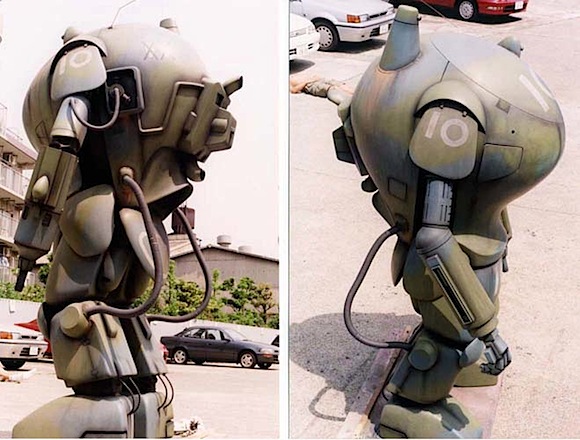
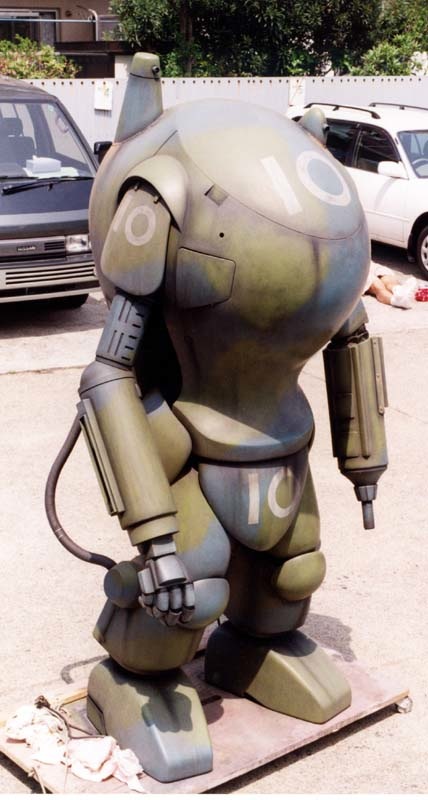
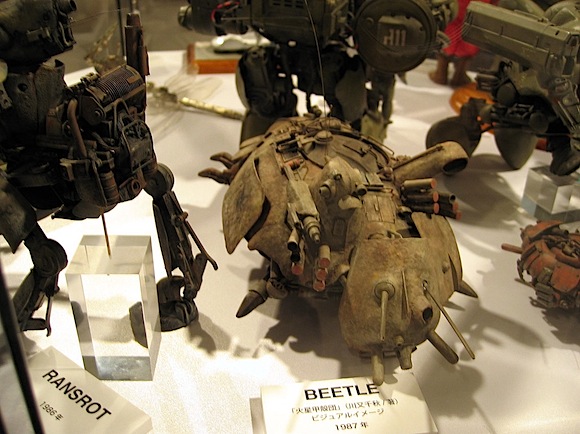
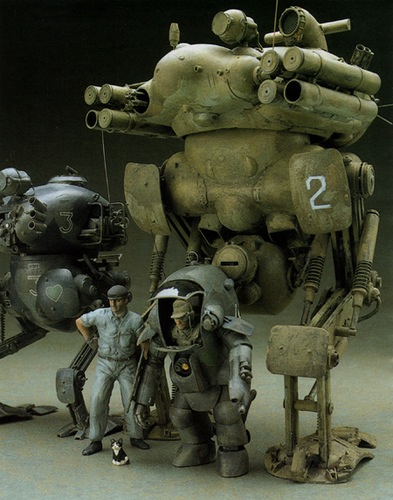
Some cool pics of Machine Krieger models
308241131_ebee4ad74djpg.jpeg

01sjpg.jpeg

41Y-MBZTx9L_SL500_AA280_jpg.jpeg

43ca5fadJPG.jpeg

7b6dc493JPG.jpeg

95415fa5JPG.jpeg

c93aae22JPG.jpeg

mak1jpg.jpeg

mak2jpg.jpeg

mak3jpg.jpeg

mak4jpg.jpeg

SAFS1_JPG.jpeg

SAFS2_JPG.jpeg

skinhead20jpg.jpeg

wespe02jpg.jpeg

maschinenkriegersafscm2hp0jpg.jpeg

MaKFledermaus.gif

fm_01JPG.jpeg

efe087b7JPG.jpeg


International Photography Festival F/Stop 2009

11 Mar

competition.jpgThe 3rd edition of the International Photography Festival F/Stop takes place from July 1st – 7th 2009 in Leipzig, Germany.

The festival focuses on contemporary national and international photography.

The main program focuses on the changes in live of two generations after the revolution in 1989.

Additionally a symposium on “Curating contemporary photography” will be organized.

Artists can the download at http://www.f-stop-leipzig.de/v3/en/aktuell.php the application form for this year’s international competition called “Where do we go from here?”. The deadline for sending your work is *6th April 2009*.

The finalists will be reviewed by an international jury.

The winner will be invited to join the world’s biggest portfolio review in Houston,Texas (USA) and can present his/her work to famous directors, curators and artists from all over the world.

From Moritz Arnold
F/Stop Festival Team 2009


Daido Moriyama on compact camera

08 Mar

youtube-daido-moriyama-on-compact-camera-_-e6a3aee5b1b1e5a4a7e98193e8ab96e99aa8e8baabe79bb8e6a99fDo you still think you need a Nikon D300, a Hasselblad or an extremely expensive lens to become a great photographer? Well, think again.

In this video Daido Moriyama explain you how a small compact camera is a lot better than a reflex to take street shots.

Of course, each person has his/her own style, maybe you (and me too) like to have the quality and versatility of a DSLR.. try to think If Ansel Adams have had just a compact camera to take photographs…

But the main points here are:

  • It’s not impossible to take great photos with a compact camera.
  • You can be a great photographer with any camera.
  • It’s all about creativity.

So, next time you have a slow lens, no flash, and you want to take street shots at night.. Don’t say it’s impossible, just bump your iso and use you camera creatively!

UPDATE:

Ahh, too bad, the video has been removed by Youtube due to terms of use violation :(


Create your own rockband cover

27 Feb

I read this thing on a hkob and.. it’s pretty funny :)

How to create your own rock band record cover :

  1. The name of the band
    As you know, the name of the band is pretty important stuff, so we’re going intellectual (wikipedia) .
    Go to “wikipedia” & Hit “random ”, the first random wikipedia article you get is the name of your band.
    In my case: Bakya (I guess I’m pretty lucky, it sounds cool!)

  2. The title of your first album.
    We need a cool line, so..
    Go to “Random quotations“. The last four or five words of the very last quote of the page is the title of your first album.
    In my case: Geez, I’m so lucky! Here’s my quotation, “There’s no easy way out. If there were, I would have bought it. And believe me, it would be one of my favorite things!”  - Oprah Winfrey! So, I’m going to take One of my favorite things as title of my first album.
  3. And now the album cover!
    The cover is really important right.. so, let’s head to flickr Advanced Search, write the name of your album in the search field and click search. No matter what, the first photo is going to be your album cover!
    In my case:
    127194972_8e6cbc4b37_m.jpg
    Note: The original step was different. I decided to change it to have just Creative Common pics, you know, just in case..

  4. Now, some Photoshop, or better Skitch and share your RockBand Cover, and let me know how it went for you!
    Here’s mine:

skitched-20090227-125549.jpg

Yeah.. it’s pretty weird. A rock band called Bakya, whose one of his favorite things happened to be hot air balloons? well, honestly, that could be..


How to Create a Flaming Photo Manipulation

26 Feb

pre.jpeg“In this tutorial, we’ll manipulate a picture so it looks like a woman burning in flames. The idea behind this manipulation was to create a nice looking illustration, only by using simple techniques and tools such as the Brush tool and Warp command. I hope you enjoy the tutorial and try it with your own stock imagery.”

Check out this interesting tutorial created by Jayan Saputra (you can find his deviantart page here) and published on psd tuts+.

It’s a pretty cool effect involving some warp transformation, find edges filters and of course custom brushes. I especially like the use of the warp transformation on the fire, never thought about that but I’ll definitely use this technique on the next Shot from the Future.

Continue Reading the Tutorial

Source: psd tuts+


Fallout 3 Concept Art

24 Feb

Check out the PipBoy for iPhone: PipClock !

7-07.01_man.in.power.armor.2_fullface.jpgFew days ago I’ve found somewhere on the web a link to a web folder with many cool Fallout 3 pictures.

Fallout 3 is an action role-playing game released by Bethesda Game Studios, and is the third major game in the Fallout series. I kinda like the concept, and find the graphic design absolutely stunning.

Fallout draws from 1950s pulp magazines, science fiction and superhero comic books, all rooted in Atomic Age optimism of a nuclear-powered future, though gone terribly awry by the time the events of the game take place. The technology is retro-futuristic, with various Raygun Gothic machines such as laser weaponry and boxy Forbidden Planet-style robots. Computers use vacuum tubes instead of transistors, architecture of ruined buildings feature Art Deco and Googie designs, energy weapons resemble those used by Flash Gordon, and what few vehicles remain in the world are all 1950s-styled. Fallout’s other production design, such as menu interfaces, are similarly designed to resemble advertisements and toys of the Atomic Age. Advertising in the game such as billboards and brochures has a distinct 1950s motif.
Anyway some cool pics.

7-05.08_capitol_m.jpgA post-apocalyptic Washington
8-10.14_man.in.Brotherhood.of.Steel.Power.Armor.and.Washington.Monument_render.jpg A post-apocalyptic Washington

8-10.14_man.in.Brotherhood.of.Steel.Power.Armor.and.Washington.DC_render.jpg A post-apocalyptic Washington

7-05.15_carrier_m_fan.interpretation_Oriskany_CVA-34_attack.aircraft.carrier.jpgConcept art, study.
7-05.22_stripmall_m.jpg
The wasteland
7-05.22_stripmall_m_fan.interpretation.jpeg The wasteland study
7-05.29_memorial_m.jpg

7-10.25_PIPBoy.3000_concept.art.jpeg The PIP-boy 2000 device sketch
8-01.11_Brotherhood.of.Steel.Power.Armor_Render.jpg

8-05.16_Environmental.3_concept.art.jpg some concept art
8-05.16_Fashion_concept.art.jpg cool characters
8-05.16_Industrial_concept.art.jpg nice 50′s style devices
8-05.16_Robots_concept.art.jpg

robotic stuff

Buy Fallout 3 Now!

Sources: Fallout 3 Official Website Fallout 3 Wikipedia Some concept art

Check out some cool cyberpunk photo manipulations here and here !


The Sprawl Lightroom Preset

21 Feb

sprawlI love cyberpunk. Since I was a kid I’ve always wanted one of those brain implants to connect to the cyberspace (if I think about it right now.. jeez, having a brain implant to do what.. connect your brain to facebook or myspace?.. ah the ‘cyberspace’ is not so cool anymore).
Anyway, I made this Lightroom preset trying to recreate the world in William Gibson’s novel Neuromancer and the Sprawl trilogy, or maybe Blade Runner.
Again, it’s a preset for night photography.

preview_sprawl

How to install presets on Lightroom?

Click on Preferences, select Presets tab and click on Show Lightroom Presets Folder… button.Uncompress the ZIP file, move the folder in the Lightroom Presets Folder/Develop Presets and relaunch Lightroom.

Download  The Sprawl for Lightroom


Nocturnus Lightroom Preset

20 Feb

nocturnusI usually take photos in low light conditions, especially at night. And the places I like the most are usually very dark streets, with just a small light lighting up the scene.. just give a look to the photoblog to get what I mean..

Anyway, I’ve decided to release a Lightroom preset I use for this kind of shots (very dark shot with just a light): Nocturnus.

I’ve just used this preset for my last photo on ReallyJapan.com, and I can assure you it works pretty well, just apply the preset on  dark street shots!

nocturnusprev

How to install presets on Lightroom?

Click on Preferences, select Presets tab and click on Show Lightroom Presets Folder… button.Uncompress the ZIP file, move the folder in the Lightroom Presets Folder/Develop Presets and relaunch Lightroom.

Download  Nocturnus for Lightroom